Quicken vs QuickBooks 2026 comparison: personal finance vs business accounting. Explore features, pricing, pros/cons, and which is best for individuals, landlords, or SMBs—budgeting, invoicing, payroll, investments.
In 2026, Quicken vs QuickBooks remain two of the most popular financial management tools, but they serve very different users. Despite similar names and shared history (both originated from Intuit), the core difference is clear: Quicken excels at personal finance management with some light business features, while QuickBooks is a dedicated accounting solution built for small to medium-sized businesses (SMBs).
Whether you’re tracking household budgets, investments, rental properties, or running invoicing, payroll, and inventory for a growing company, choosing the right tool saves time and money. This in-depth 2026 guide compares features, pricing, ease of use, target users, pros/cons, and more—drawing from recent reviews by Forbes, NerdWallet, Shopify, and user feedback on sites like Capterra and Software Advice.
Side-by-side dashboards: Quicken’s clean personal view vs. QuickBooks’ business-focused interface with invoicing and reports.
Key Differences at a Glance
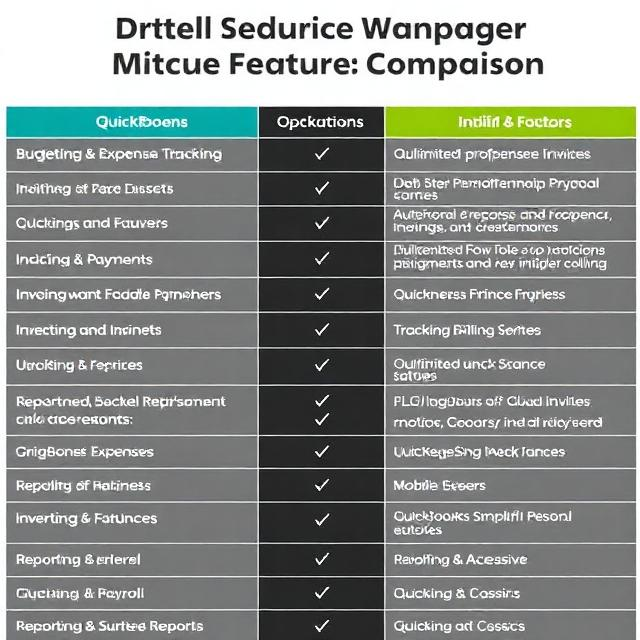
| Feature | Quicken | QuickBooks |
|---|---|---|
| Primary Purpose | Personal & family finance; light business/rentals | Small to medium business accounting |
| Target Users | Individuals, families, side hustlers, landlords | Freelancers, SMBs, growing companies |
| Key Strengths | Budgeting, investment tracking, debt plans | Invoicing, payroll, inventory, advanced reports |
| Inventory Management | No | Yes (in higher plans) |
| Payroll | No | Yes (add-on or included in tiers) |
| Multi-User Access | Limited (single-user focus) | Yes (multiple users/roles) |
| Cloud vs Desktop | Desktop (Classic) + web/mobile (Simplifi) | Primarily cloud (Online); Desktop Enterprise available |
| Pricing (2026 est.) | $48–$96/year (annual) | $38–$115+/month (subscription) |
| Ease of Use | Simpler for beginners | Steeper curve but powerful |
| User Ratings | ~3.9–4.0/5 | ~4.3–4.4/5 (higher volume) |
Quicken is often cheaper and simpler for non-business needs, while QuickBooks scales with business growth.
What Is Quicken in 2026?
Quicken offers versions like Quicken Classic (desktop for Windows/Mac) and Quicken Simplifi (web/mobile app). Recent 2026 updates include faster performance, enhanced bill pay, customizable dashboards, advanced automation rules, and better investment tools (e.g., real-time quotes, RSU tracking).
Key features:
- Track bank accounts, credit cards, and loans.
- Advanced budgeting and spending reports.
- Investment portfolio analysis.
- Rental property management (leases, rent collection).
- Debt reduction planners.
- Tax schedule exports.
Best for: Personal budgeting, investment tracking, or small landlords/side businesses.
What Is QuickBooks in 2026?
QuickBooks Online (cloud-based) dominates, with QuickBooks Desktop Enterprise for those preferring a local install. It includes robust accounting, with tiers from Simple Start to Advanced.
Key features:
- Invoicing and payments.
- Expense tracking and receipt capture.
- Payroll (add-on).
- Inventory and project profitability.
- Custom reports and tax prep.
- Hundreds of app integrations (e.g., Shopify, payroll services).
- Multi-user access with role permissions.
Best for: Businesses needing professional accounting, sales tracking, and scalability.
Detailed Feature Comparison
Budgeting & Expense Tracking
Both handle basics well. Quicken shines with personal tools like debt snowball/avalanche planners and detailed investment breakdowns. QuickBooks focuses on business expenses, mileage tracking, and categorization for tax deductions.
Invoicing & Payments
QuickBooks wins: Unlimited professional invoices, online payments, recurring billing. Quicken offers basic invoicing in Business & Personal editions but lacks advanced features.
Investments & Assets
Quicken is superior for stocks, mutual funds, retirement accounts, and real-time quotes. QuickBooks has minimal investment tracking.
Inventory & Payroll
QuickBooks excels here—track stock levels, cost of goods, and run payroll. Quicken has neither.
Reporting & Taxes
QuickBooks provides advanced P&L, balance sheets, cash flow, and project reports. Quicken offers solid personal reports and tax schedules, but less depth for business.
Mobile & Accessibility
QuickBooks Online is fully cloud-based for anytime access. Quicken Classic is desktop-heavy, though Simplifi adds strong mobile/web.
Integrations & Scalability
QuickBooks connects to thousands of apps; scales from solopreneurs to larger teams. Quicken has limited integrations.
Pricing in 2026
Quicken is more affordable:
- Simplifi: ~$6/month (personal).
- Classic: ~$5–$8/month.
- Business & Personal: ~$8/month or $96/year.
QuickBooks Online:
- Simple Start: ~$38/month.
- Essentials: ~$75/month.
- Plus: ~$115/month.
- Advanced: Higher.
QuickBooks Desktop: Higher upfront or annual fees.
Quicken suits budget-conscious personal users; QuickBooks justifies the cost for business tools.
Pros and Cons
Quicken Pros:
- Affordable.
- Excellent for personal investments/rentals.
- Simple interface.
- Offline access (desktop).
Quicken Cons:
- Limited business features.
- No payroll/inventory.
- Less scalable.
QuickBooks Pros:
- Comprehensive business accounting.
- Cloud access & integrations.
- Strong support and community.
- Handles growth.
QuickBooks Cons:
- More expensive.
- Steeper learning curve.
- Subscription model.
Which Should You Choose in 2026?
- Choose Quicken if you need personal finance tools, track investments, manage a rental property, or run a very small side hustle. It’s cost-effective and straightforward.
- Choose QuickBooks if you run a business requiring invoicing, payroll, inventory, or detailed reports. It’s the industry standard for SMBs and scales well.
For hybrid needs (personal + light business), Quicken Business & Personal works for many solopreneurs, but growing businesses often outgrow it and switch to QuickBooks.
Conclusion
In 2026, Quicken vs QuickBooks aren’t direct competitors—they target different needs. Quicken empowers individuals and small-scale users with intuitive personal tools, while QuickBooks delivers professional-grade accounting for businesses. Evaluate your primary goal: personal control or business growth. Try free trials (both offer them) to test fit. The right choice streamlines finances and supports long-term success.
Related Posts

Bar Cabinet with Wine Fridge: A Complete Guide to Building a Stylish and Practical Home Bar
Introduction: The Storage Dilemma — and the Perfect Fix Designing…

Renault Megane 4 Bagaj Hacmi 2026: Sedan Hatchback Estate Kaç Litre? Resmi Ölçüler
Renault Megane 4 bagaj hacmi Sedan'da 503 litre, Hatchback'te 384-407…

Valor H5 Gas Fireplace Review 2026: Features, Pros, Cons & Ultimate Buying Guide
Valor H5 gas fireplace 2026 review: 71% efficient, V-Class burner,…